









 Ansible

 PS DSC

TODO Check 0.6.1
Legal Disclaimer: Neither this package nor Chocolatey Software, Inc. are affiliated with or endorsed by Preslav Mihaylov. The inclusion of Preslav Mihaylov trademark(s), if any, upon this webpage is solely to identify Preslav Mihaylov goods or services and not for commercial purposes.
- 1
- 2
- 3
Some Checks Have Failed or Are Not Yet Complete
Not All Tests Have Passed
Deployment Method: Individual Install, Upgrade, & Uninstall
To install TODO Check, run the following command from the command line or from PowerShell:
To upgrade TODO Check, run the following command from the command line or from PowerShell:
To uninstall TODO Check, run the following command from the command line or from PowerShell:
Deployment Method:
This applies to both open source and commercial editions of Chocolatey.
1. Enter Your Internal Repository Url
(this should look similar to https://community-choco.oraclestar.dev/api/v2/)
2. Setup Your Environment
1. Ensure you are set for organizational deployment
Please see the organizational deployment guide
2. Get the package into your environment
Option 1: Cached Package (Unreliable, Requires Internet - Same As Community)-
Open Source or Commercial:
- Proxy Repository - Create a proxy nuget repository on Nexus, Artifactory Pro, or a proxy Chocolatey repository on ProGet. Point your upstream to https://community-choco.oraclestar.dev/api/v2/. Packages cache on first access automatically. Make sure your choco clients are using your proxy repository as a source and NOT the default community repository. See source command for more information.
- You can also just download the package and push it to a repository Download
-
Open Source
-
Download the package:
Download - Follow manual internalization instructions
-
-
Package Internalizer (C4B)
-
Run: (additional options)
choco download todocheck --internalize --source=https://community-choco.oraclestar.dev/api/v2/ -
For package and dependencies run:
choco push --source="'INTERNAL REPO URL'" - Automate package internalization
-
Run: (additional options)
3. Copy Your Script
choco upgrade todocheck -y --source="'INTERNAL REPO URL'" [other options]See options you can pass to upgrade.
See best practices for scripting.
Add this to a PowerShell script or use a Batch script with tools and in places where you are calling directly to Chocolatey. If you are integrating, keep in mind enhanced exit codes.
If you do use a PowerShell script, use the following to ensure bad exit codes are shown as failures:
choco upgrade todocheck -y --source="'INTERNAL REPO URL'"
$exitCode = $LASTEXITCODE

Write-Verbose "Exit code was $exitCode"
$validExitCodes = @(0, 1605, 1614, 1641, 3010)
if ($validExitCodes -contains $exitCode) {
  Exit 0
}

Exit $exitCode
- name: Install todocheck
  win_chocolatey:
    name: todocheck
    version: '0.6.1'
    source: INTERNAL REPO URL
    state: present
See docs at https://docs.ansible.com/ansible/latest/modules/win_chocolatey_module.html.
chocolatey_package 'todocheck' do
  action    :install
  source   'INTERNAL REPO URL'
  version  '0.6.1'
end
See docs at https://docs.chef.io/resource_chocolatey_package.html.
cChocoPackageInstaller todocheck
{
    Name     = "todocheck"
    Version  = "0.6.1"
    Source   = "INTERNAL REPO URL"
}
Requires cChoco DSC Resource. See docs at https://github.com/chocolatey/cChoco.
package { 'todocheck':
  ensure   => '0.6.1',
  provider => 'chocolatey',
  source   => 'INTERNAL REPO URL',
}
Requires Puppet Chocolatey Provider module. See docs at https://forge.puppet.com/puppetlabs/chocolatey.
4. If applicable - Chocolatey configuration/installation
See infrastructure management matrix for Chocolatey configuration elements and examples.
This package was approved as a trusted package on 01 Oct 2025.
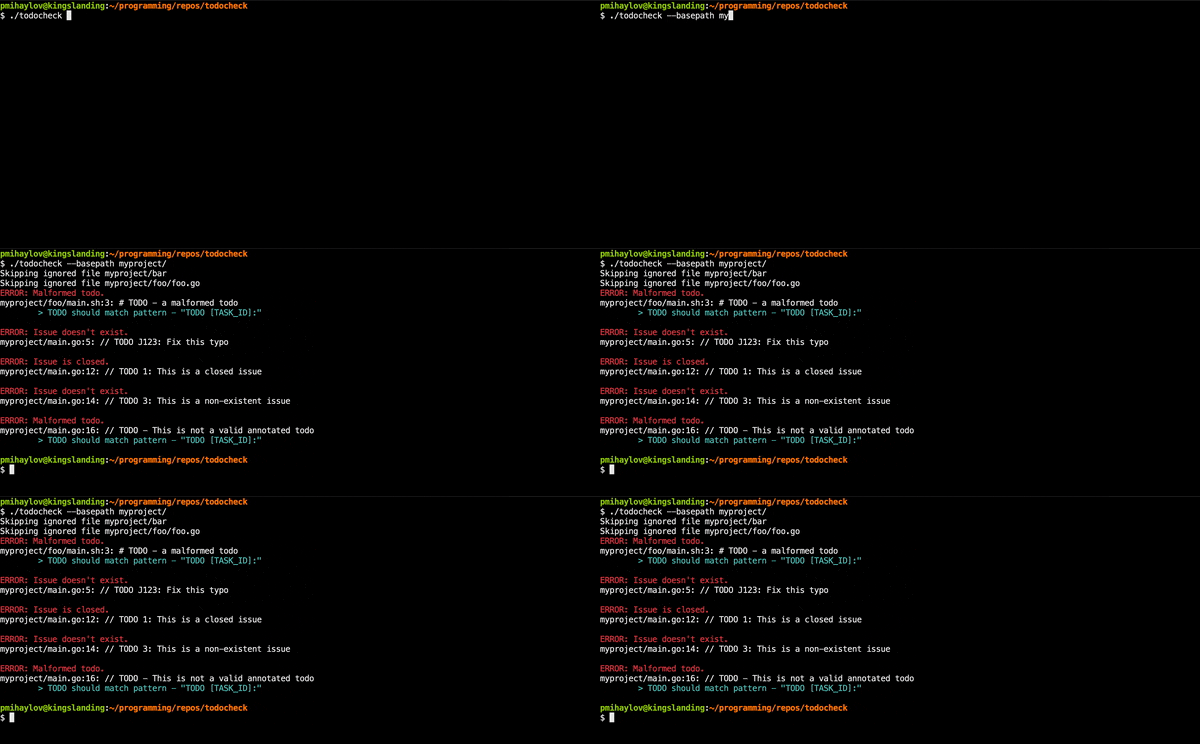
todocheck is a static code analyzer for annotated TODO comments.
It let's you create actionable TODOs by annotating them with issues from any of the supported issue trackers.
No longer will you discover arcane, undocumented TODO comments, scattered across your code base.
See How it works for more info.
From: https://github.com/presmihaylov/todocheck/blob/v0.6.1/LICENSE

LICENSE

MIT License

Copyright (c) 2020 Preslav Mihaylov

Permission is hereby granted, free of charge, to any person obtaining a copy
of this software and associated documentation files (the "Software"), to deal
in the Software without restriction, including without limitation the rights
to use, copy, modify, merge, publish, distribute, sublicense, and/or sell
copies of the Software, and to permit persons to whom the Software is
furnished to do so, subject to the following conditions:

The above copyright notice and this permission notice shall be included in all
copies or substantial portions of the Software.

THE SOFTWARE IS PROVIDED "AS IS", WITHOUT WARRANTY OF ANY KIND, EXPRESS OR
IMPLIED, INCLUDING BUT NOT LIMITED TO THE WARRANTIES OF MERCHANTABILITY,
FITNESS FOR A PARTICULAR PURPOSE AND NONINFRINGEMENT. IN NO EVENT SHALL THE
AUTHORS OR COPYRIGHT HOLDERS BE LIABLE FOR ANY CLAIM, DAMAGES OR OTHER
LIABILITY, WHETHER IN AN ACTION OF CONTRACT, TORT OR OTHERWISE, ARISING FROM,
OUT OF OR IN CONNECTION WITH THE SOFTWARE OR THE USE OR OTHER DEALINGS IN THE
SOFTWARE.VERIFICATION
Verification is intended to assist the Chocolatey moderators and community
in verifying that this package's contents are trustworthy.
Package can be verified like this:
1. Go to https://github.com/presmihaylov/todocheck/releases/tag/v0.6.1, and download from there.
x86 (64-bit): https://github.com/presmihaylov/todocheck/releases/download/v0.6.1/todocheck-v0.6.1-windows-x86_64.exe
to download the executable. You may wish to rename one of the files.
2. You can use one of the following methods to obtain the SHA512 checksum:
- Use powershell function 'Get-FileHash'
- Use Chocolatey utility 'checksum.exe'
x86 (64-bit): 5f0f5cdf7870aab7142cf19d45119931c97b92d3218a323f632fec68d445eaff04c6113c2c9b25f0ab6dd58f8e5c3bc5c0caafd683b58b01ec318aaabfeed38f
File 'LICENSE.txt' obtained from:
https://github.com/presmihaylov/todocheck/blob/v0.6.1/LICENSEmd5: BD3358C7ECE9C957AF84CB9D66BCCEDA | sha1: C98164C9DC8D33BAE1947E536AC9D43A00B6ECDD | sha256: 2EBCD1E80A1A2E92E97035EA12AE49E086E55ABD8D4AEFC35E9A1DCE9A18F9F9 | sha512: 5F0F5CDF7870AAB7142CF19D45119931C97B92D3218A323F632FEC68D445EAFF04C6113C2C9B25F0AB6DD58F8E5C3BC5C0CAAFD683B58B01EC318AAABFEED38FLog in or click on link to see number of positives.
- todocheck.0.6.1.nupkg (5b53ca087c8f) - ## / 69
- todocheck.exe (2ebcd1e80a1a) - ## / 67
In cases where actual malware is found, the packages are subject to removal. Software sometimes has false positives. Moderators do not necessarily validate the safety of the underlying software, only that a package retrieves software from the official distribution point and/or validate embedded software against official distribution point (where distribution rights allow redistribution).
Chocolatey Pro provides runtime protection from possible malware.
| Add to Builder | Version | Downloads | Last Updated | Status |
|---|---|---|---|---|
| TODO Check 0.6.1 | 31 | Wednesday, October 1, 2025 | Approved | |
| TODO Check 0.6.0 | 20 | Tuesday, September 23, 2025 | Approved | |
| TODO Check 0.5.0 | 18 | Monday, September 15, 2025 | Approved | |
| TODO Check 0.4.1 | 18 | Monday, September 15, 2025 | Approved | |
| TODO Check 0.4.0 | 17 | Monday, September 15, 2025 | Approved | |
| TODO Check 0.3.0 | 34 | Sunday, August 10, 2025 | Approved |
Copyright © 2020 - 2025, Preslav Mihaylov
Features
N/A
Bug fixes
N/A
Breaking Changes
N/A
Internal Improvements
- Fixed CI and upgraded to Go version
This package has no dependencies.
Ground Rules:
- This discussion is only about TODO Check and the TODO Check package. If you have feedback for Chocolatey, please contact the Google Group.
- This discussion will carry over multiple versions. If you have a comment about a particular version, please note that in your comments.
- The maintainers of this Chocolatey Package will be notified about new comments that are posted to this Disqus thread, however, it is NOT a guarantee that you will get a response. If you do not hear back from the maintainers after posting a message below, please follow up by using the link on the left side of this page or follow this link to contact maintainers. If you still hear nothing back, please follow the package triage process.
- Tell us what you love about the package or TODO Check, or tell us what needs improvement.
- Share your experiences with the package, or extra configuration or gotchas that you've found.
- If you use a url, the comment will be flagged for moderation until you've been whitelisted. Disqus moderated comments are approved on a weekly schedule if not sooner. It could take between 1-5 days for your comment to show up.