









 Ansible

 PS DSC

Neovide 0.15.1
Legal Disclaimer: Neither this package nor Chocolatey Software, Inc. are affiliated with or endorsed by Keith Simmons. The inclusion of Keith Simmons trademark(s), if any, upon this webpage is solely to identify Keith Simmons goods or services and not for commercial purposes.
- 1
- 2
- 3
This Package Contains an Exempted Check
Not All Tests Have Passed
Deployment Method: Individual Install, Upgrade, & Uninstall
To install Neovide, run the following command from the command line or from PowerShell:
To upgrade Neovide, run the following command from the command line or from PowerShell:
To uninstall Neovide, run the following command from the command line or from PowerShell:
Deployment Method:
This applies to both open source and commercial editions of Chocolatey.
1. Enter Your Internal Repository Url
(this should look similar to https://community-choco.oraclestar.dev/api/v2/)
2. Setup Your Environment
1. Ensure you are set for organizational deployment
Please see the organizational deployment guide
2. Get the package into your environment
Option 1: Cached Package (Unreliable, Requires Internet - Same As Community)-
Open Source or Commercial:
- Proxy Repository - Create a proxy nuget repository on Nexus, Artifactory Pro, or a proxy Chocolatey repository on ProGet. Point your upstream to https://community-choco.oraclestar.dev/api/v2/. Packages cache on first access automatically. Make sure your choco clients are using your proxy repository as a source and NOT the default community repository. See source command for more information.
- You can also just download the package and push it to a repository Download
-
Open Source
-
Download the package:
Download - Follow manual internalization instructions
-
-
Package Internalizer (C4B)
-
Run: (additional options)
choco download neovide --internalize --source=https://community-choco.oraclestar.dev/api/v2/ -
For package and dependencies run:
choco push --source="'INTERNAL REPO URL'" - Automate package internalization
-
Run: (additional options)
3. Copy Your Script
choco upgrade neovide -y --source="'INTERNAL REPO URL'" [other options]See options you can pass to upgrade.
See best practices for scripting.
Add this to a PowerShell script or use a Batch script with tools and in places where you are calling directly to Chocolatey. If you are integrating, keep in mind enhanced exit codes.
If you do use a PowerShell script, use the following to ensure bad exit codes are shown as failures:
choco upgrade neovide -y --source="'INTERNAL REPO URL'"
$exitCode = $LASTEXITCODE

Write-Verbose "Exit code was $exitCode"
$validExitCodes = @(0, 1605, 1614, 1641, 3010)
if ($validExitCodes -contains $exitCode) {
  Exit 0
}

Exit $exitCode
- name: Install neovide
  win_chocolatey:
    name: neovide
    version: '0.15.1'
    source: INTERNAL REPO URL
    state: present
See docs at https://docs.ansible.com/ansible/latest/modules/win_chocolatey_module.html.
chocolatey_package 'neovide' do
  action    :install
  source   'INTERNAL REPO URL'
  version  '0.15.1'
end
See docs at https://docs.chef.io/resource_chocolatey_package.html.
cChocoPackageInstaller neovide
{
    Name     = "neovide"
    Version  = "0.15.1"
    Source   = "INTERNAL REPO URL"
}
Requires cChoco DSC Resource. See docs at https://github.com/chocolatey/cChoco.
package { 'neovide':
  ensure   => '0.15.1',
  provider => 'chocolatey',
  source   => 'INTERNAL REPO URL',
}
Requires Puppet Chocolatey Provider module. See docs at https://forge.puppet.com/puppetlabs/chocolatey.
4. If applicable - Chocolatey configuration/installation
See infrastructure management matrix for Chocolatey configuration elements and examples.
This package is likely a meta/virtual (*) or an installer (*.install) or portable (*.portable) application package.
- Meta/virtual (*) - has a dependency on the *.install or the *.portable package - it is provided for discoverability and for other packages to take a dependency on.
- Portable (*.portable/*.commandline (deprecated naming convention)/*.tool (deprecated naming convention)) - usually zips or archives that require no administrative access to install.
- Install (*.install/*.app (deprecated naming convention)) - uses native installers, usually requires administrative access to install.
Learn more about chocolatey's distinction of installed versus portable apps and/or learn about this kind of package.
This package was approved as a trusted package on 02 Aug 2025.
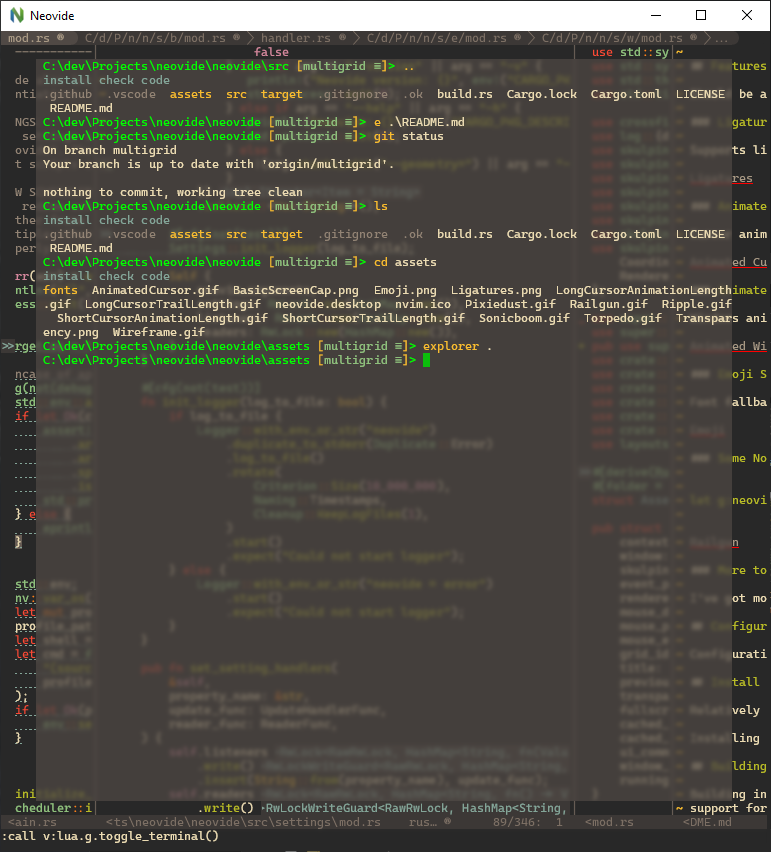
This is a simple graphical user interface for Neovim (an aggressively refactored and updated
Vim editor). Where possible there are some graphical improvements, but functionally it should act like the terminal UI.

Features
Should be a standard fully featured Neovim GUI. Beyond that there are some visual niceties:
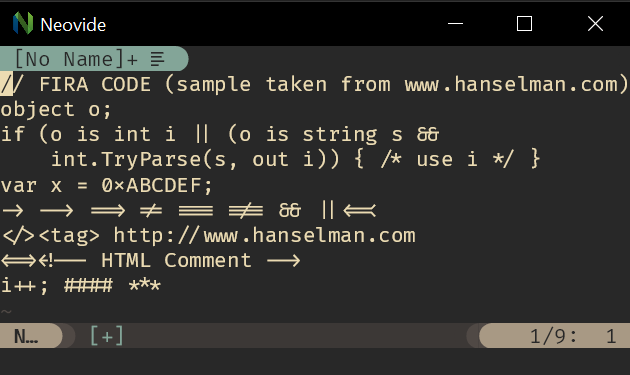
Ligatures
Supports ligatures and font shaping.
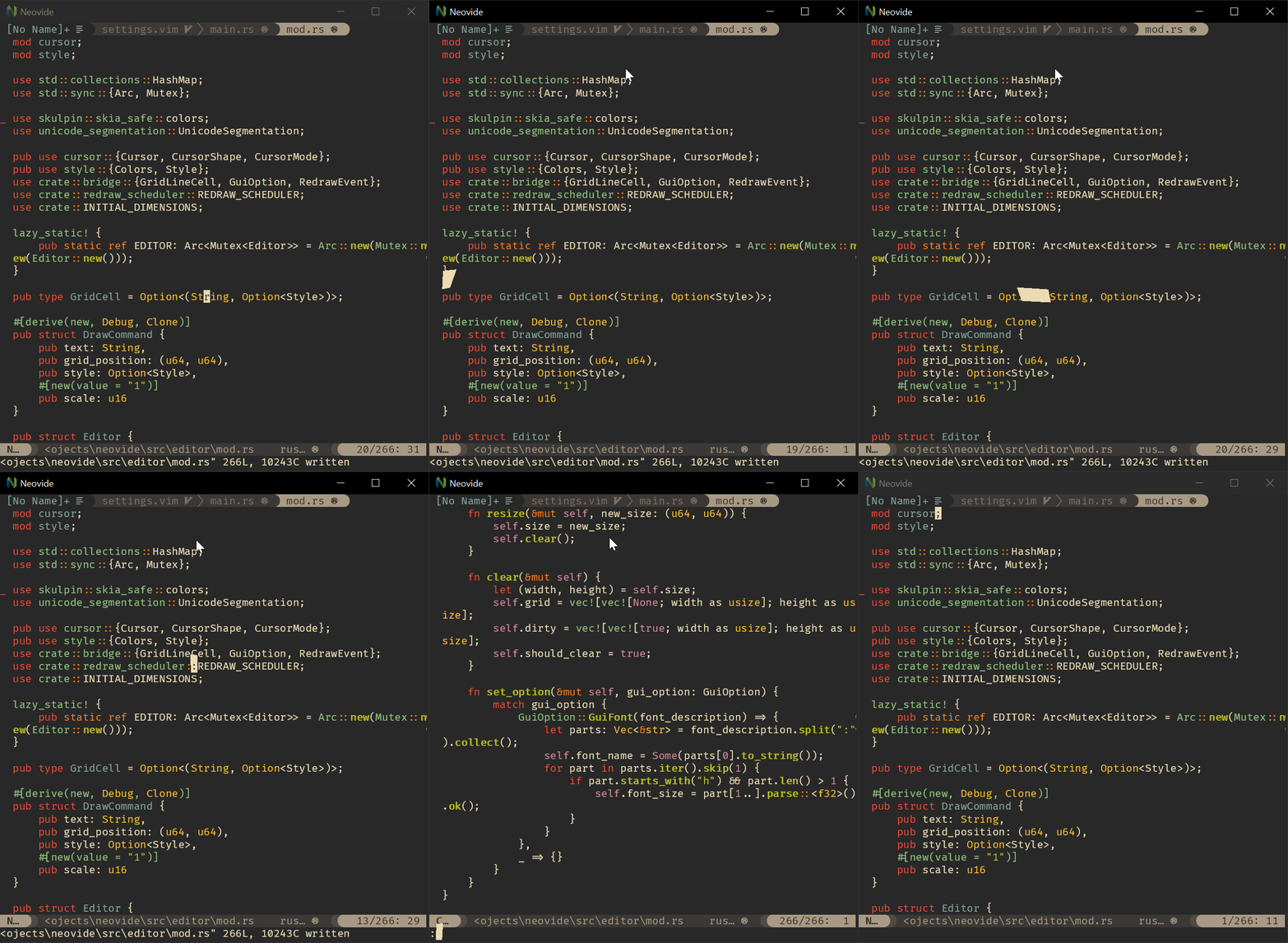
Animated Cursor
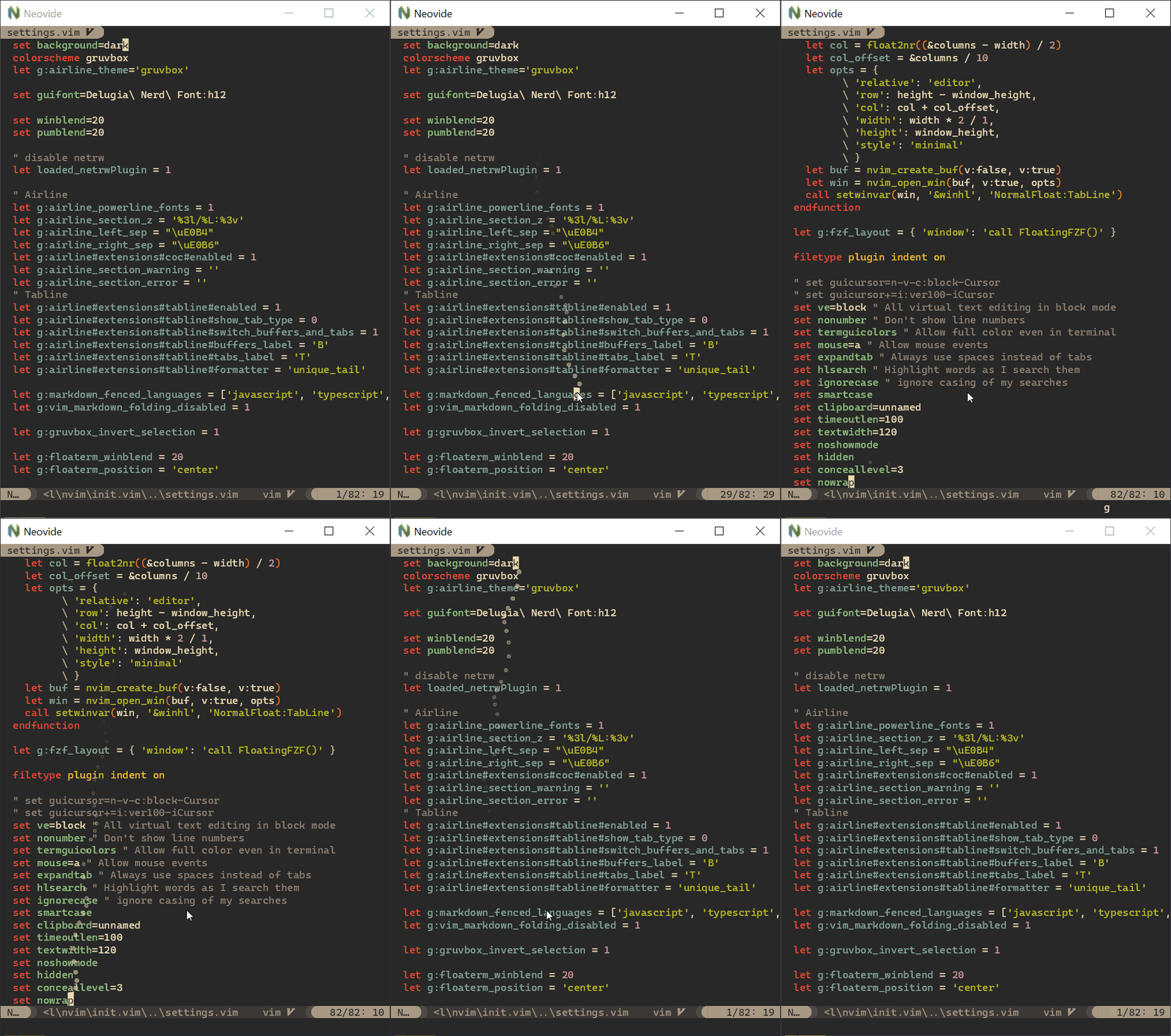
Cursor animates into position with a smear effect to improve tracking of cursor position.
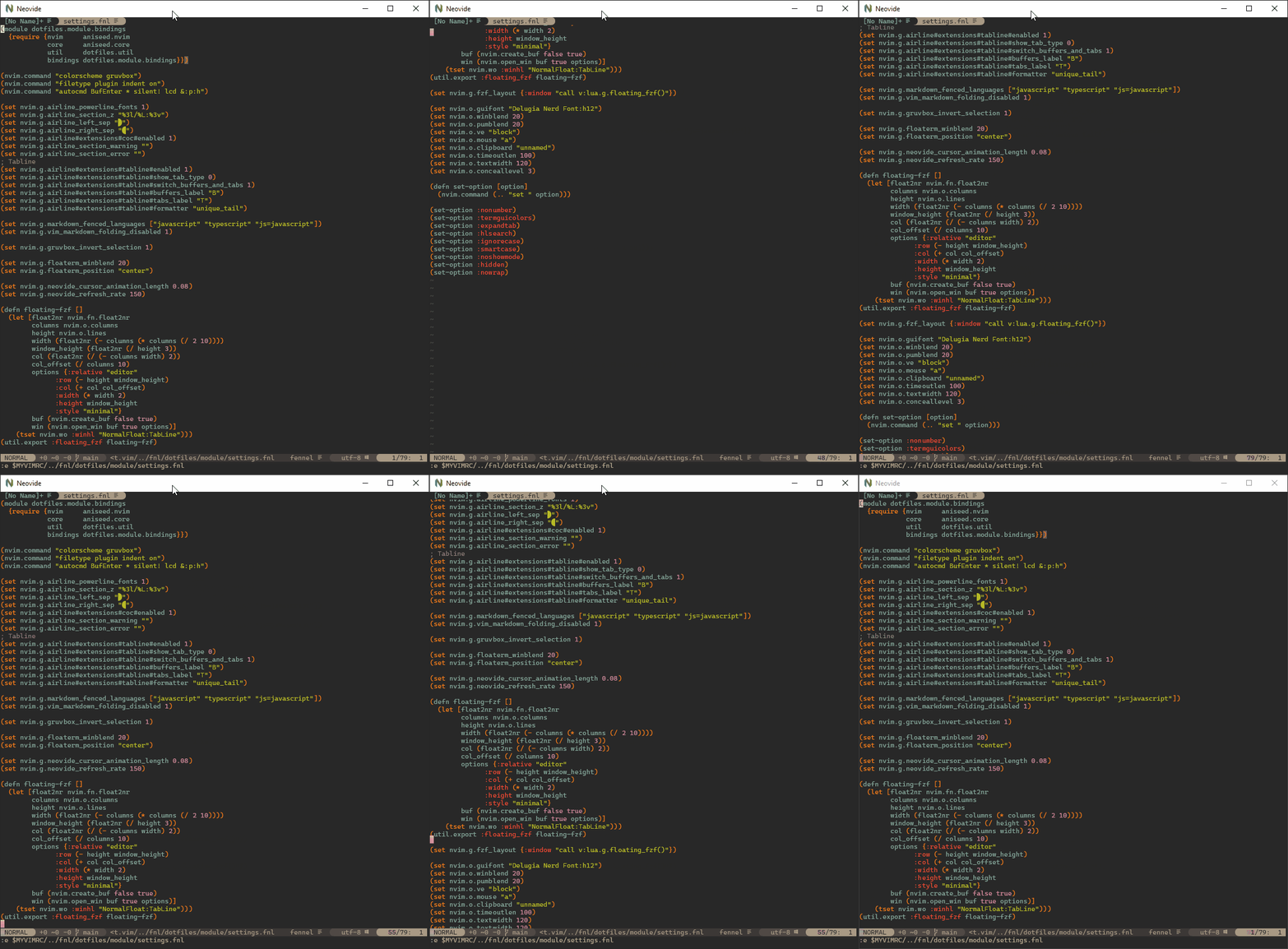
Smooth Scrolling
Scroll operations on buffers in neovim will be animated smoothly pixel wise rather than line by line at a time. Note, multigrid must be
enabled for this to work.
https://github.com/neovide/neovide/wiki/Configuration#multigrid
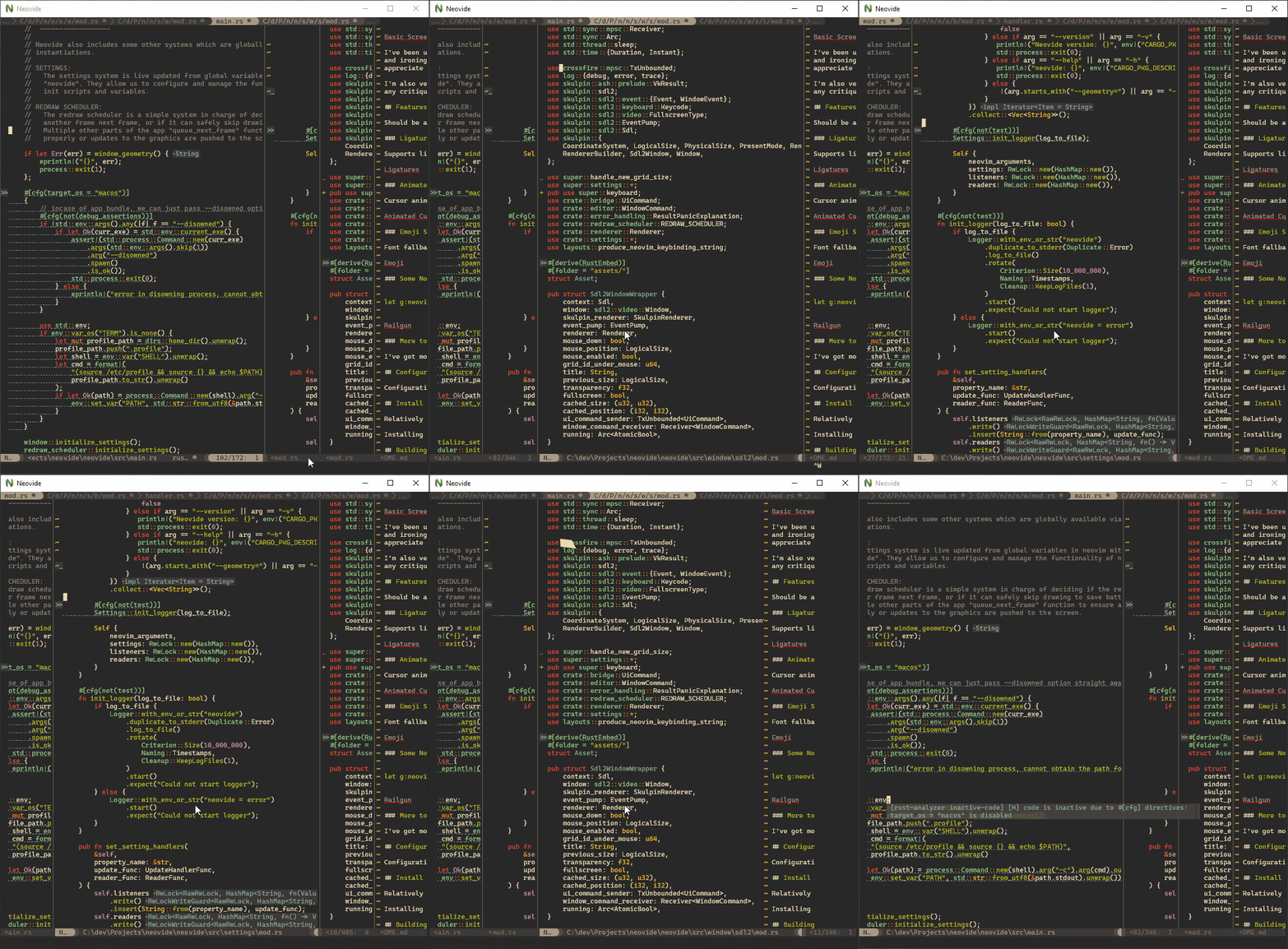
Animated Windows
Windows animate into position when they are moved making it easier to see how layout changes happen. Note, multigrid must be enabled for
this to work.
https://github.com/neovide/neovide/wiki/Configuration#multigrid
Blurred Floating Windows
The backgrounds of floating windows are blurred improving the visual separation between foreground and background from
built in window transparency. Note, multigrid must be enabled for this to work.
https://github.com/neovide/neovide/wiki/Configuration#multigrid
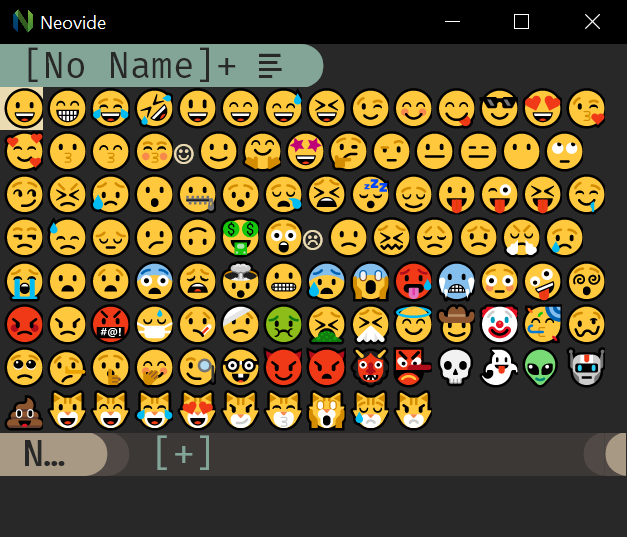
Emoji Support
Font fallback supports rendering of emoji not contained in the configured font.
WSL Support
Neovide supports displaying a full gui window from inside wsl via the --wsl command argument. Communication is passed via standard io into the wsl copy of neovim providing identical experience similar to visual studio code's remote editing https://code.visualstudio.com/docs/remote/remote-overview.
Remote TCP Support
Neovide supports connecting to a remote instance of Neovim over a TCP socket via the --remote-tcp command argument. This would allow you to run Neovim on a remote machine and use the GUI on your local machine, connecting over the network.
Launch Neovim as a TCP server (on port 6666) by running:
nvim --headless --listen localhost:6666
And then connect to it using:
/path/to/neovide --remote-tcp=localhost:6666
By specifying to listen on localhost, you only allow connections from your local computer. If you are actually doing this over a network you will want to use SSH port forwarding for security, and then connect as before.
ssh -L 6666:localhost:6666 ip.of.other.machine nvim --headless --listen localhost:6666
Finally, if you would like to leave the neovim server running, close the neovide application window instead of issuing a :q command.
Some Nonsense ;)
let g:neovide_cursor_vfx_mode = "railgun"
More to Come
We've got more ideas for simple unobtrusive improvements. More to come.
Configuration
Configuration is done almost completely via global neovide variables in your vim config and can be manipulated live at runtime. Details can be found here.
Log in or click on link to see number of positives.
- neovide.0.15.1.nupkg (f27002b5de8d) - ## / 67
In cases where actual malware is found, the packages are subject to removal. Software sometimes has false positives. Moderators do not necessarily validate the safety of the underlying software, only that a package retrieves software from the official distribution point and/or validate embedded software against official distribution point (where distribution rights allow redistribution).
Chocolatey Pro provides runtime protection from possible malware.
| Add to Builder | Version | Downloads | Last Updated | Status |
|---|---|---|---|---|
| Neovide 0.15.1 | 756 | Saturday, August 2, 2025 | Approved | |
| Neovide 0.15.0 | 664 | Saturday, April 12, 2025 | Approved | |
| Neovide 0.14.1 | 481 | Tuesday, March 4, 2025 | Approved | |
| Neovide 0.14.0 | 591 | Tuesday, January 7, 2025 | Approved | |
| Neovide 0.13.3 | 369 | Wednesday, December 11, 2024 | Approved | |
| Neovide 0.13.2 | 43 | Wednesday, December 11, 2024 | Approved | |
| Neovide 0.13.1 | 1107 | Tuesday, July 16, 2024 | Approved | |
| Neovide 0.13.0 | 531 | Saturday, June 8, 2024 | Approved | |
| Neovide 0.12.2 | 986 | Wednesday, February 14, 2024 | Approved | |
| Neovide 0.12.1 | 266 | Monday, February 5, 2024 | Approved | |
| Neovide 0.12.0 | 463 | Tuesday, January 2, 2024 | Approved | |
| Neovide 0.11.2 | 634 | Monday, October 23, 2023 | Approved | |
| Neovide 0.11.1 | 554 | Friday, September 8, 2023 | Approved | |
| Neovide 0.11.0 | 381 | Saturday, August 19, 2023 | Approved | |
| Neovide 0.10.4 | 1002 | Wednesday, April 12, 2023 | Approved | |
| Neovide 0.10.3 | 1328 | Monday, November 28, 2022 | Approved | |
| Neovide 0.10.2 | 396 | Sunday, November 13, 2022 | Approved | |
| Neovide 0.10.1 | 914 | Monday, August 22, 2022 | Approved | |
| Neovide 0.10.0 | 216 | Thursday, August 18, 2022 | Approved | |
| Neovide 0.9.0 | 622 | Saturday, July 9, 2022 | Approved | |
| Neovide 0.8.0 | 750 | Thursday, April 28, 2022 | Approved | |
| Neovide 0.7.0 | 2936 | Monday, March 8, 2021 | Approved | |
| Neovide 0.6.0 | 479 | Saturday, November 7, 2020 | Approved | |
| Neovide 0.5.0 | 222 | Saturday, November 7, 2020 | Approved | |
| Neovide 0.4.0 | 197 | Friday, November 6, 2020 | Approved | |
| Neovide 0.3.0 | 150 | Friday, November 6, 2020 | Approved | |
| Neovide 0.2.0 | 156 | Friday, November 6, 2020 | Approved | |
| Neovide 0.1.0 | 208 | Thursday, October 1, 2020 | Approved |
Copyright © 2019 - 2025 Keith Simmons
What's Changed
Bug fixes
fix: cmdline escaping when using WSL by @fredizzimo in https://github.com/neovide/neovide/pull/3087
fix: box drawing gaps due to inconsistent rendering by @fredizzimo in https://github.com/neovide/neovide/pull/3082
fix: powerline half circle box drawing by @fredizzimo in https://github.com/neovide/neovide/pull/3092
fix: audio input support on macos (#3070) by @helins in https://github.com/neovide/neovide/pull/3095
fix: use composition information from Neovim by @fredizzimo in https://github.com/neovide/neovide/pull/2919
fix: fix blank message lines and missing status bar with Neovim 0.11.3 by @fredizzimo in https://github.com/neovide/neovide/pull/3168
New Features
feat: configurable short cursor animation by @fredizzimo in https://github.com/neovide/neovide/pull/3093
feat: add simple fullscreen feature for MacOS by @wiserfz in https://github.com/neovide/neovide/pull/3072
feat: add an API for disabling redraw by @fredizzimo in https://github.com/neovide/neovide/pull/3097
Other Changes
fix: markdown link for configuration doc by @wiserfz in https://github.com/neovide/neovide/pull/3081
chore: pass DrawCommandBatcher around instead of relying on interior mutability by @fredizzimo in https://github.com/neovide/neovide/pull/3096
New Contributors
@wiserfz made their first contribution in https://github.com/neovide/neovide/pull/3081
@helins made their first contribution in https://github.com/neovide/neovide/pull/3095
Full Changelog: https://github.com/neovide/neovide/compare/0.15.0...0.15.1
-
- neovide.install (≥ 0.15.1)
Ground Rules:
- This discussion is only about Neovide and the Neovide package. If you have feedback for Chocolatey, please contact the Google Group.
- This discussion will carry over multiple versions. If you have a comment about a particular version, please note that in your comments.
- The maintainers of this Chocolatey Package will be notified about new comments that are posted to this Disqus thread, however, it is NOT a guarantee that you will get a response. If you do not hear back from the maintainers after posting a message below, please follow up by using the link on the left side of this page or follow this link to contact maintainers. If you still hear nothing back, please follow the package triage process.
- Tell us what you love about the package or Neovide, or tell us what needs improvement.
- Share your experiences with the package, or extra configuration or gotchas that you've found.
- If you use a url, the comment will be flagged for moderation until you've been whitelisted. Disqus moderated comments are approved on a weekly schedule if not sooner. It could take between 1-5 days for your comment to show up.